Automated Lead Follow-Up for Service Businesses
Plan automated lead follow up around inquiry intent, consent, ownership, stop conditions and a clear handoff to scheduling or a team member.
A lead who asks for availability at 8:15 p.m. may be ready to book. If the only response is a voicemail review the next morning, that buyer may have already contacted three competitors. Automated lead follow up gives service businesses a practical way to acknowledge inquiries quickly, collect the right details, and keep the next step from depending on one person remembering to send it.
The goal is not to send more messages. It is to move qualified inquiries through a clear process: response, qualification, scheduling, sales follow-up, and a documented outcome. Done well, automation supports the team behind the phone, inbox, and calendar. Done poorly, it creates generic messages, duplicate outreach, and an experience that feels impersonal.
What automated lead follow up should do
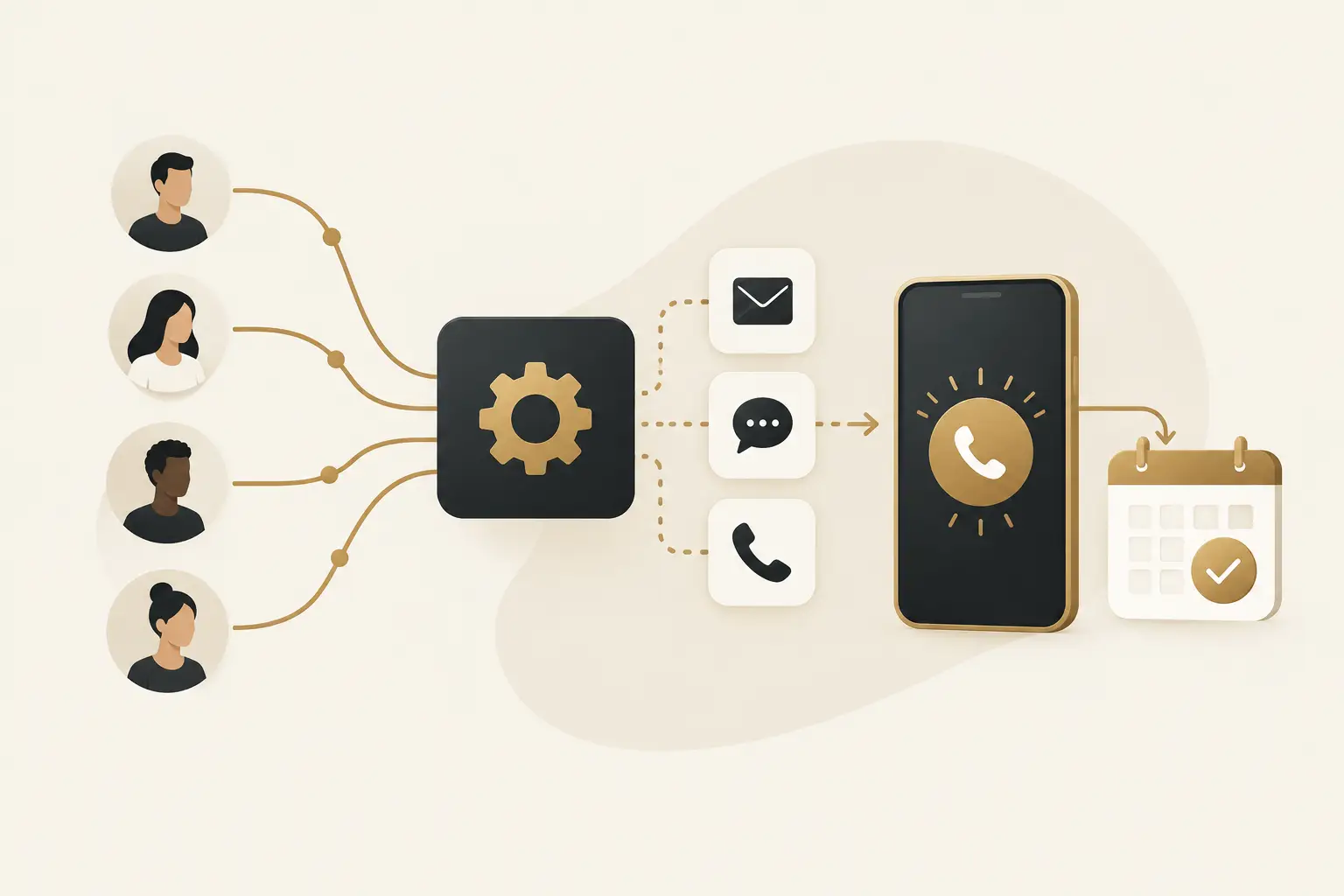
Automated follow-up is a set of triggered communications and tasks that begin when a person submits a form, calls, starts a chat, requests an estimate, or otherwise signals interest. The trigger adds the inquiry to a pipeline, records the source, alerts the right team member, and starts an appropriate next-step sequence.
For a professional or service business, the first useful automation is often simple: confirm that the inquiry was received, set expectations for a response, and offer an easy path to schedule. If the prospect does not book or reply, the system can send a timely reminder and create a task for a salesperson or coordinator to make personal contact.
That sequence should reflect the buying process. A homeowner requesting a service visit, for example, needs a different follow-up path than an executive evaluating a complex, multi-stakeholder engagement. One may need scheduling and location details. The other may need qualification questions, a consultation request, and useful context before a meeting makes sense.
Fast response matters, but relevance matters more
Owners often begin with a reasonable request: reply to every new lead immediately. That is a good baseline, especially when calls and website forms are missed after hours. But speed alone does not create a good customer journey.
An immediate message that says only “Thanks, we received your request” can be helpful. An immediate message that asks for information the person already submitted or pushes a calendar link before confirming fit can create friction. The right response depends on the inquiry source, the service requested, business hours, and whether a person is needed to assess the opportunity.
A practical first response usually does three things. It confirms receipt, tells the prospect what will happen next, and presents one low-friction action. That may be replying with a preferred appointment time, choosing a time on a scheduling page, or answering a short qualification question.
The language should sound like the business, not a software template. Avoid pretending a message was personally typed when it was automated. Clarity earns more trust than artificial familiarity.
Build the follow-up around pipeline stages
A pipeline is not merely a dashboard of names. It is an operating model for how an inquiry becomes an opportunity, customer, or closed-lost record. Before configuring automation, define the stages your team can actually use.
For many service businesses, a workable flow starts with new inquiry, contacted, qualified, appointment booked, proposal or estimate sent, won, and lost or not a fit. The exact labels matter less than the rules behind them. Who owns each stage? What action moves a lead forward? When should the system stop sending reminders? What counts as a lost lead versus a lead that needs longer-term nurture?
These rules prevent a common failure: a prospect books a call, but the follow-up sequence continues to send booking reminders. Another is sending a sales sequence after someone has clearly said the timing is wrong. Automation needs exit conditions, not just triggers.
Match each trigger to a specific intent
A website contact form, a missed call, a chat conversation, and a referral should not necessarily receive identical treatment. Capturing the source helps the team understand what prompted the inquiry and whether a particular campaign, local listing, referral relationship, or web page is producing qualified demand.
It also improves the message. Someone who called and did not reach a person may need a quick call-back option. Someone who downloaded information may need a more educational sequence before an appointment request. Someone who completed a detailed estimate form may warrant a fast handoff to a specialist rather than a generic email series.
Set ownership before alerts go live
Automation can notify a team, but a notification is not ownership. Assign a person or role responsible for new inquiries during business hours, after-hours requests, scheduled consultations, and leads waiting on proposals.
If a lead is reassigned, the record should show who owns it now. If no action occurs within a defined period, an escalation can alert a manager or backup owner. This is where many systems break down: the messages are configured, but nobody is accountable for the conversation that follows.
Choose channels with care
Email works well for confirmations, detail-rich answers, estimates, and appointment reminders. Text messages can be useful for time-sensitive actions, particularly when a prospect has provided consent and expects a quick response. Phone calls remain essential for higher-value, urgent, or more nuanced inquiries.
The best channel is not always the channel with the highest open rate. It is the one that fits the request and respects the prospect’s expectations. A complex commercial inquiry may deserve a thoughtful call and a concise follow-up email. A simple scheduling request may benefit from a text reminder shortly before the appointment.
Use frequency controls. Repeated messages may look active in a CRM while damaging trust in the real world. Limit overlapping campaigns, pause sequences when a lead replies, and give the team a clear view of recent communications before they reach out.
The qualification questions that protect your team’s time
Automated lead follow up can reduce back-and-forth by asking a few questions early. The key word is few. A long intake form can discourage people who simply want to know whether you can help.
Ask only for information needed to route the inquiry or prepare the first conversation. Depending on the business, that might include service needed, location or service area, preferred timing, budget range when appropriate, and whether the person is the decision-maker. Do not use automation to create an interrogation before offering help.
Qualification is also where automation should recognize limits. If a request is outside the service area, outside the available scope, or not aligned with the business, the system can send a polite response and close the loop. That is better for the prospect and better for the team than leaving an inquiry unanswered.
Measure the handoffs, not just the message volume
A system can report how many emails or texts were sent. Those numbers are operational details, not business outcomes. The more useful questions are whether qualified inquiries receive a timely first response, how many move to a booked appointment, how many appointments attend, and where opportunities stall.
Track lead source alongside pipeline movement. If one source generates many inquiries but few qualified conversations, the issue may be targeting, the offer, the landing page, or the follow-up process. If qualified leads frequently fail to schedule, review the handoff from first response to calendar booking. If appointments do not show, assess reminders, confirmation language, and whether the appointment was a real fit.
Human review matters here. A dashboard cannot always explain why a prospect stopped responding. Regularly read a sample of conversations and listen to how calls are handled. The findings often improve both the automation and the website that captures the lead.
When automation is not the answer by itself
Automation cannot compensate for an unclear offer, a slow sales team, or a website that attracts the wrong inquiries. It can expose those problems faster, which is still valuable, but the fix may involve messaging, routing rules, staffing, or a better conversion path.
It also is not necessary to automate every relationship touchpoint. High-consideration work often benefits from thoughtful, personal follow-up after the first response. The system should make that easier by showing context, assigning tasks, and preventing leads from falling through gaps.
The right implementation is usually phased. Start with the biggest leak, such as missed calls or unacknowledged web forms. Confirm that data is captured accurately, the team understands ownership, and the messages make sense in real conversations. Then add qualification, reminders, proposal follow-up, reactivation, or AI reception where those workflows fit the business.
The Montoya Group builds connected follow-up systems through The Montoya Growth OS so the website, pipeline, scheduling, and team workflows can operate as one customer journey. Scope should follow the actual sales process, existing tools, and the level of ongoing ownership your team needs.
A good next step is to map the last ten inquiries your business received. Identify when each person first heard back, who owned the next action, and where the conversation stopped. That small review will show whether your first automation should be faster response, better routing, clearer scheduling, or a more accountable pipeline.
Write permissions and exit rules before activating messages
An inquiry does not automatically authorize every future marketing campaign. Match the communication to the permission and purpose involved, identify the business and respect opt-outs. For messaging sent through Twilio, its Messaging Policy describes consent, sender identification and opt-out requirements. Confirm the rules applicable to your provider and use case before activating a sequence.
A practical workflow records the inquiry source, permitted channels, assigned owner and next action. It should also define when to pause or stop: a meaningful reply, booking, disqualification, opt-out, or a staff decision. Keep suppression rules consistent across tools so one system does not restart messages that another has stopped.
For illustration, an estimate request might receive a receipt confirmation, a task for the assigned coordinator and an appropriate reminder if no conversation follows. The message should refer to the actual request, avoid promising unverified availability and provide a clear next step. This is a workflow example, not a Montoya client result or a prescribed universal cadence.
Buyer questions about automated follow-up
How many messages should we send?
There is no universal best count. Set a limited cadence around the inquiry, urgency, permission and sales process; review reply quality and opt-outs. Avoid overlapping sequences and pause automated outreach when a person is handling the conversation.
How do we know the workflow is ready?
Test a new inquiry, a repeat contact, a reply, a booking, an opt-out and a failed delivery. Confirm the correct record, owner, task and stop condition in each case. A sent-message count does not prove that a qualified conversation or appointment occurred.
Find the handoff that needs follow-up first
Review your lead follow-up with The Montoya Group. Bring your inquiry sources, current response process and the point where prospects stop moving. We can help define a focused workflow and accountable ongoing ownership.