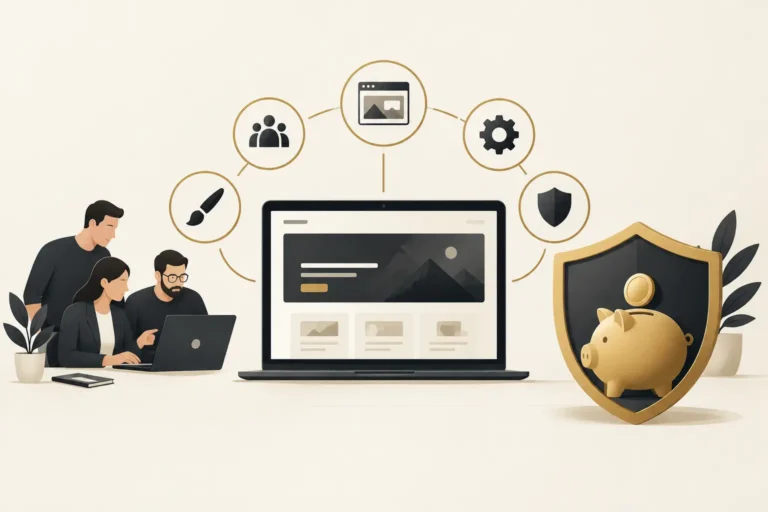
Business Process Automation for Service Businesses
See how business process automation connects inquiry routing, follow-up and reporting, with clear ownership, exception handling and launch checks.
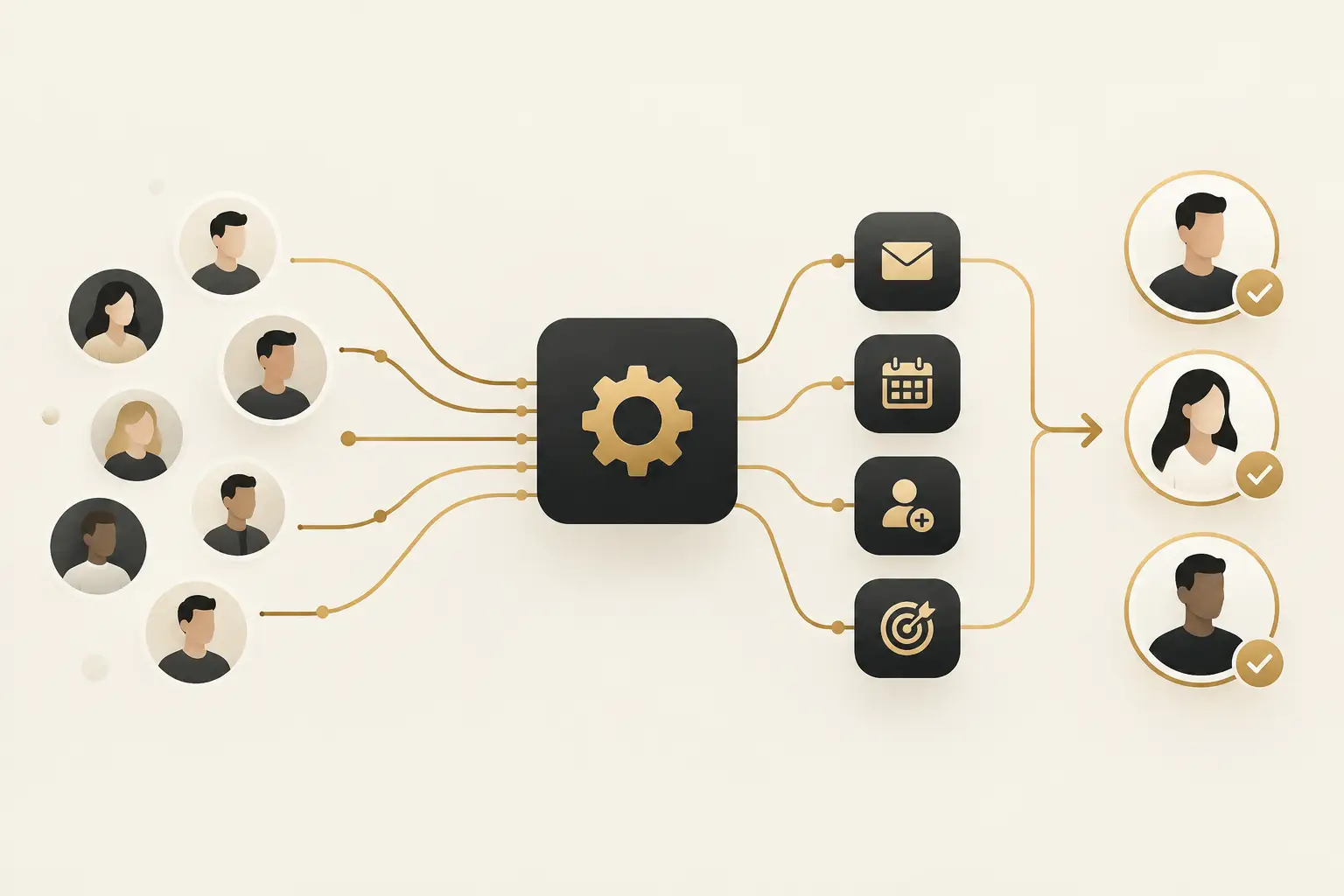
A missed call, an unassigned web form, or a quote request answered two days late can cost more than a weak month of website traffic. Business process automation can address these operational gaps by moving each inquiry through a defined next step: capture it, identify it, route it, follow up, and record the outcome.
For established service businesses, the goal is not to automate every interaction. It is to remove the avoidable delays and manual handoffs that make a capable team look unresponsive. The best systems give staff more context and more time for the conversations that require judgment.
What business process automation should do
Business process automation uses connected software and rules to complete repeatable work without someone having to remember every step. In a sales or service environment, that can mean creating a contact record when a form is submitted, notifying the right team member, sending a confirmation, creating a task, and escalating the inquiry if no one responds.
The distinction matters. A collection of apps does not automatically create a process. If a website form, calendar, phone system, inbox, CRM, and spreadsheet all operate independently, your team still becomes the integration layer. That usually leads to duplicate records, unclear ownership, and inconsistent follow-up.
A useful automation starts with a customer journey, not a tool list. Consider what happens after a prospective customer calls after hours, submits a request from a mobile device, or asks a question before booking. Who owns the next action? What information is needed? How quickly should the business respond? What happens if the prospect does not reply?
When those decisions are clear, technology can support them consistently.
Start where inquiries are getting lost
Most businesses do not need a large transformation project to see a meaningful operational improvement. They need to find the points where demand enters the business and where momentum disappears.
Start by mapping the path of a single inquiry from first contact to an appointment, proposal, sale, or closed-lost decision. Include calls, web forms, chat conversations, referral inquiries, and messages from any channels your team actively uses. Then ask where information is retyped, where staff wait for an answer, and where no one can see the current status.
Common failure points include a form that only sends an email, calls that are not documented, leads assigned informally in a group chat, and follow-up that depends on one person remembering to do it. These are operational issues, not simply marketing issues. More traffic will not correct them.
Prioritize a process when it has three traits: it happens frequently, it follows a repeatable pattern, and a delay or mistake has a real cost. Lead intake and appointment reminders often meet that standard. A sensitive exception, a complex negotiation, or a high-stakes customer complaint may not. Those situations need people, escalation rules, and room for judgment.
Build the process before choosing the automation
A practical workflow begins with clear stages. For example, a new inquiry may move from New to Contacted, Qualified, Appointment Booked, Proposal Sent, Won, or Closed Lost. The names can vary, but each stage should describe a real business condition rather than a vague activity.
Next, define the required action at each point. A new inquiry may require a confirmation and an internal notification. A lead waiting for a call may need an owner and a due time. An appointment booking may trigger reminders and a preparation task. A missed appointment may create a recovery follow-up instead of quietly disappearing from the pipeline.
This is also where businesses should decide what information is truly needed. Collect enough to route and qualify an inquiry, but do not create a long form simply because the CRM has available fields. Every unnecessary question adds friction for the prospect and creates more data for staff to maintain.
A well-designed workflow has an owner, a deadline, and an exception path. If a lead is assigned but not contacted within the agreed window, the system should alert a manager or reassign the task. If an inquiry falls outside your service area or does not fit your offering, it should be marked clearly rather than left open indefinitely. Automation should make accountability visible, not hide it.
Connect the customer-facing experience to operations
The customer does not experience your website, phone line, calendar, and sales team as separate systems. They experience one business. If they fill out a form, receive no confirmation, and call later only to repeat the same details, the process feels disorganized regardless of how polished the website looks.
This is why the strongest implementations connect customer-facing conversion points to the operating system behind them. A website inquiry should create a usable record. A booking should update the correct pipeline stage. A staff member should be able to see the source, requested service, prior messages, and next required action without switching between unrelated tools.
For some businesses, an AI receptionist or chat assistant can help capture routine questions and collect basic details outside business hours. It can be valuable when call volume is high or response coverage is inconsistent. It is not a substitute for clear handoff rules. If the assistant gathers an inquiry but the team has no defined response owner, the technology has simply created a more polished version of the same delay.
The same caution applies to automated messaging. Confirmation and reminder messages are generally helpful because they set expectations. Repeated promotional sequences, generic check-ins, or messages that ignore a customer’s actual stage can damage trust. Automation should feel timely and relevant, not relentless.
Measure process performance, not just activity
An automation is working when it improves a business measure you can observe. Start with a small set of operational indicators: time to first response, percentage of inquiries assigned, appointment booking rate, no-show rate, follow-up completion, and the number of leads with no next action.
These measures reveal more than total lead volume. A business may receive fewer inquiries in one month but produce more booked appointments because the team responded faster and handled the right opportunities consistently. Attribution also becomes more useful when the source of the inquiry stays connected to its pipeline outcome.
Review records regularly, especially during the first weeks after implementation. Look for duplicate contacts, incorrectly routed leads, stalled stages, and messages sent at the wrong time. Reporting can tell you that a workflow ran. Record reviews tell you whether it helped the customer and the team.
Technical diagnostics have a place as well. Delivery failures, integration errors, and incomplete field mapping should be corrected quickly. But a system passing technical checks is not proof that it creates growth. The process still needs business ownership, staff adoption, and periodic adjustment.
Know when custom work is justified
Many workflows can be built using a CRM, scheduling tools, forms, messaging, and carefully configured integrations. That is often the right starting point because it is faster to maintain and easier to adjust as the business evolves.
Custom software or a mobile app becomes more appropriate when a core workflow cannot be supported reliably by standard tools, when teams need specialized field operations, or when important data must move through a tailored internal process. Custom work carries a trade-off: it can fit the business more precisely, but it also requires defined scope, testing, documentation, and an ongoing ownership plan.
Avoid building custom technology simply to replicate a process that has not been clarified. If the team cannot agree on stages, responsibilities, or approval rules, software will preserve the confusion at greater expense.
A practical rollout for business process automation
Roll out one high-value journey first, usually the path from inquiry to booked appointment or qualified sales conversation. Document the current process, agree on the future stages, configure the rules, and test with realistic scenarios before making it the team standard.
Train employees on what changes for them, not just which buttons to click. They need to understand when a lead becomes theirs, what the response expectation is, how to update status, and when to escalate an exception. A system is only dependable when the people using it understand the operating agreement behind it.
The Montoya Group helps businesses connect conversion-focused websites, lead capture, pipelines, scheduling, follow-up, and reporting through The Montoya Growth OS when a connected customer journey is the right fit. The scope should follow the actual problem, whether that is missed calls, untracked inquiries, inconsistent follow-up, or disconnected systems.
The best first automation is rarely the flashiest one. It is the one that ensures a real customer inquiry receives a clear, timely next step consistently.
A small workflow to test before wider rollout
Consider a hypothetical estimate request. The form creates one contact and one opportunity, assigns the responsible coordinator, sends the approved acknowledgment and creates a response task. If the integration fails, a visible exception alert goes to an accountable person. If the customer books, the inquiry reminders stop.
Before release, test duplicate submissions, an existing customer, missing required information, a failed integration and an opt-out. These are acceptance scenarios, not claims about results from a Montoya client. Keep a safe way to pause the workflow and preserve records if a change misroutes inquiries.
Buyer questions about automation
Should every step be automated?
No. Automate predictable handoffs and administration. Keep pricing exceptions, complaints and decisions requiring professional judgment with an authorized person.
What should an implementation handover include?
Ask for the process map, owners, field mappings, message approvals, stop conditions, monitoring and recovery instructions. A working demonstration is useful; a complete customer journey tested through its final outcome is stronger evidence.
For intake forms, W3C’s forms guidance explains why labels, instructions and feedback matter. The automated workflow begins with a customer who must understand what to submit and what happens next.
Choose one process worth improving
Discuss a process review with The Montoya Group. Bring one repeated task, the systems it touches and the failure that costs your team the most time. We can help scope a maintainable workflow before expanding it.