Choosing a Custom Mobile App Development Company
Evaluate a custom mobile app development company on discovery, integrations, ownership, testing, launch scope and ongoing support.

A mobile app can make it easier for customers to book, communicate, pay, or manage an ongoing relationship with your business. It can also become an expensive second system that staff must update manually. The difference often comes down to choosing a custom mobile app development company that understands the customer experience and the operations behind it.
The right partner does more than build screens. They clarify the business problem, define what information needs to move between systems, and plan how the app will be supported after release. For established service businesses, that work matters more than adding features simply because they look impressive in a product demo.
Start With the Workflow, Not the App Idea
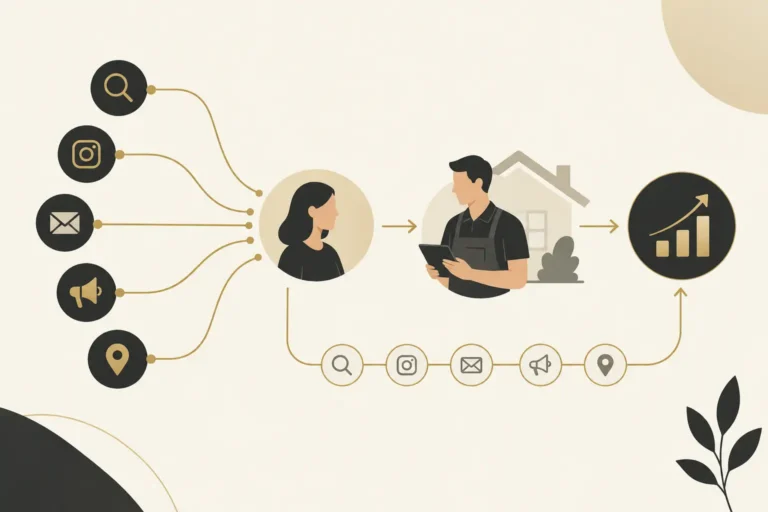
Most worthwhile app projects begin with a repeated friction point. Maybe customers call to check appointment status. Maybe field teams need job details while away from a desk. Maybe account managers are copying information between a website form, spreadsheet, scheduling tool, and CRM.
Before discussing design styles or development frameworks, document the current path. What starts the process? Who receives the request? What information is collected? What decision happens next? Where do delays, duplicate entry, or missed follow-up occur?
A custom app may be the right answer when it gives customers or employees a simpler way to complete a frequent task. But an app is not always the answer. If the real issue is that website inquiries are not routed promptly, a better pipeline, notification rule, or follow-up workflow may solve the problem faster and at lower cost. A good development partner should be willing to say so.
Define the user and the moment of use
An owner may picture one app serving everyone, but customer-facing and staff-facing needs are usually different. A customer booking a service wants speed, clear choices, and confirmation. An operations manager may need permissions, assignment rules, status updates, and reporting. A technician may need only a short list of assigned work and the ability to upload notes or photos.
These distinctions shape scope. They also determine whether a mobile app, responsive web portal, internal tool, or a combination of those options makes sense. Native iOS and Android apps can offer stronger device access and a familiar installed-app experience. A web-based application can be easier to update and may be sufficient for workflows that users access occasionally. There is no universal winner.
What a Custom Mobile App Development Company Should Clarify
The proposal conversation should produce decisions, not just a feature list. Ask a prospective custom mobile app development company to explain the operating model in plain language.
First, establish what the first release must accomplish. A focused version with a few high-value actions is often safer than trying to recreate every internal process at once. For example, an initial customer portal might allow appointment requests, status updates, and messaging while later phases add document access or account management.
Next, identify the systems that must connect. Common examples include a CRM, calendar, payment processor, inventory system, existing database, or communications platform. An integration is not merely a checkbox. The team needs to determine which system is the source of truth, what data moves in each direction, how often it syncs, and what happens when a record is incomplete or duplicated.
Finally, discuss ownership and support. Mobile operating systems change. App store requirements change. Staff processes evolve. Ask who will handle bug fixes, security updates, monitoring, documentation, future enhancements, and store submissions. A lower initial build cost can become costly if no one is responsible for the app after launch.
Evaluate the Discovery Process Before the Build Process
The quality of discovery is often a better signal than a polished portfolio. A reliable partner will ask direct questions about your sales process, customer journey, data, team responsibilities, and existing tools. They will also identify assumptions that need validation before development begins.
Look for a phased process that includes requirements, user flows, interface planning, technical architecture, development, testing, launch preparation, and post-launch support. The exact methodology may vary, but the decision points should be visible.
You should know what is included in each phase and what requires a separate scope. This is especially important when a project includes CRM configuration, automation, website changes, custom integrations, or data migration alongside the mobile app. Those items may be necessary to make the app useful, but they are distinct pieces of work.
Ask how change requests are handled
Requirements change when real users see a working version. That is normal. What matters is how the team manages the impact on budget, timing, and quality.
A clear process separates a defect from a new feature. If a promised function does not work as agreed, it should be addressed as part of the existing scope. If you decide to add a new user role, a new payment flow, or a connection to another platform, the partner should document the change and its effect before proceeding. This protects both sides from vague expectations.
Technical Decisions Should Follow Business Priorities
Business owners do not need to become mobile engineers, but they should understand the practical tradeoffs. Native development can be appropriate when the app depends heavily on camera functions, location services, offline access, device notifications, or complex performance needs. Cross-platform development can reduce duplicated effort when iOS and Android users need a similar experience.
The key question is not which technology is trendiest. It is whether the selected approach fits the required user experience, integrations, maintenance plan, and budget. A partner should be able to explain why they recommend an approach without hiding behind jargon.
Security deserves the same practical treatment. If the app handles customer information, payment details, account access, or internal business data, ask about authentication, user permissions, encryption, access controls, backup procedures, and incident response. The required safeguards depend on the information involved. A basic scheduling app and an application containing sensitive records do not carry the same risk profile.
Watch for Scope Gaps That Create Expensive Surprises
Mobile app quotes can look comparable while covering very different work. Review what happens beyond the visible interface. Does the estimate account for API connections, admin controls, data cleanup, user acceptance testing, store assets, analytics setup, accessibility considerations, and launch support?
Also ask what your internal team must provide. You may need to supply approved content, brand assets, access to existing accounts, test users, business rules, and a timely decision-maker. Delays often come from missing inputs rather than code alone.
Be cautious with promises that an app will automatically generate more leads or revenue. An app can improve convenience, response time, visibility into work, and consistency in a defined process. Business outcomes still depend on adoption, demand, service delivery, pricing, sales follow-up, and many other factors.
Build for Adoption, Not Just Launch Day
An app only creates value when people use it correctly. That means launch planning should include training, internal ownership, customer communication, and a way to collect feedback. Early feedback should focus on specific tasks: Can users complete the intended action? Do staff receive the right information? Are handoffs clear? Can managers see where requests are stalled?
Analytics should support those questions. Rather than tracking every possible event, measure actions tied to the original business objective, such as completed booking requests, response times, assignment completion, repeat usage, or support issues. The numbers are useful when someone is responsible for acting on them.
For businesses that need a connected customer journey, the app should not sit apart from the rest of the system. The Montoya Group approaches custom software and mobile apps as part of the wider path from inquiry to appointment, service, follow-up, and retention. That may involve connecting an app to The Montoya Growth OS, an existing CRM, or other approved business tools, depending on the project scope.
The Questions Worth Answering Before You Sign
A capable partner should give clear answers to a few core questions. What customer or operational problem will the first release solve? Who are the users, and what are their most frequent tasks? Which systems will exchange data with the app? Who owns technical and operational decisions during the project? What is included in launch and ongoing support? How will change requests be estimated and approved?
If those answers remain unclear, the project is not ready for a detailed build estimate. More discovery may feel slower at the beginning, but it reduces the chance of funding an app that looks finished while failing to fit the way your business actually works.
The best next step is to map one high-friction workflow from first customer action to final staff follow-up. If a mobile experience makes that path simpler for users and more accountable for your team, you have a practical foundation for the right project.
Make ownership and launch acceptance explicit
Ask whose accounts will hold the source repository, cloud services, app-store listings and production data. Document access, licensing, documentation and the handover process in the agreed scope. Owning a store account does not by itself establish ownership of every software component; clarify third-party licenses and reusable components before signing.
For example, a hypothetical field-service app may need assigned jobs, photo uploads and status updates. Test a weak connection, an interrupted upload, an unauthorized user and a duplicate submission. Decide what users see when synchronization fails and which team member resolves it. These are acceptance scenarios, not claims about a Montoya client implementation.
App-store preparation also includes privacy and account controls. Apple’s account-deletion guidance explains requirements for apps that support account creation, with limited exceptions. Ask the development partner to check current store requirements against your actual app rather than treating submission as a final administrative checkbox.
Buyer questions about custom app development
Should our business choose an app or a web portal?
Compare the frequency of use, device capabilities, offline needs, distribution and maintenance requirements. A responsive portal may serve occasional tasks well; an installed app can be justified when the intended workflow needs its capabilities. Start with a documented user journey.
What should the proposal include beyond development?
Confirm integrations, testing, accessibility, store submission, operational training, monitoring, support and ownership. Ask which items are included, which require a separate engagement and what your team must supply.
Scope the workflow before funding the build
Discuss a mobile app project with The Montoya Group. Bring the repeated user task, current systems and the information that must move between them. We can help determine whether a custom mobile app, portal or a focused integration is the right starting point.